Nmap and Networking

Introduction: Why Do We Need to Know About Nmap?
Hey cyber friends! In today's digital age, network security is like the key to our virtual home. Just imagine, if your door is unlocked, anyone can enter, right? Well, the same is true with our computer networks!
Every day, our important data circulates online. From WhatsApp chats to business emails to banking transactions. If our network isn't secure, that data could fall into the wrong hands. Scary, right?
This is where network scanning becomes crucial. By scanning, we can identify any security vulnerabilities in our network before they can be exploited by malicious actors. It's like checking all the windows and doors of a house, ensuring they're securely locked.
Well, one of the most popular tools for network scanning is Nmap. This tool has been a mainstay of cybersecurity professionals for years. Curious about what Nmap is and how to use it? Let's discuss it together!
Networking Basics: Understanding the Foundation Before Taking Action
Before we dive into the world of Nmap, it's crucial to understand the basics of networking. Think of it like learning the alphabet before writing a novel!
IP Address: Home Address on the Internet
An IP address is like our home address on the internet. Every device connected to the internet has a unique address, such as 192.168.1.1 or 8.8.8.8. This address tells data where to send it and where it's coming from.
There are two types of IP Addresses commonly used:
- IPv4 : Old format with numbers like 192.168.1.1
- IPv6 : A new format with a longer combination of numbers and letters because IPv4 is almost out of date!
Port: Entry to the Device
If an IP address is a house address, then ports are the doors to that house. Every internet service (such as the web, email, or online games) uses a specific port. For example:
- Port 80: for HTTP websites
- Port 443: for HTTPS (secure) websites
- Port 22: for SSH (remote access)
- Port 25: for email (SMTP)
There are a total of 65,535 usable ports. That's a lot, right?
Protocol: Communication Language
A protocol is the language that devices use to communicate. There are many protocols, but the most common are:
- TCP (Transmission Control Protocol) : A protocol that ensures data arrives intact and in sequence. It's like a telephone call, where there's confirmation that a message has been received.
- UDP (User Datagram Protocol) : A faster protocol but doesn't guarantee perfect data delivery. It's like sending a letter without a receipt; it's faster but there's no guarantee of delivery.
Understanding the difference between TCP and UDP is very important when we scan with Nmap, because the way they work is different and the scanning results can also be different.
What is Nmap? The Powerful Tool for (Ethical) Hackers
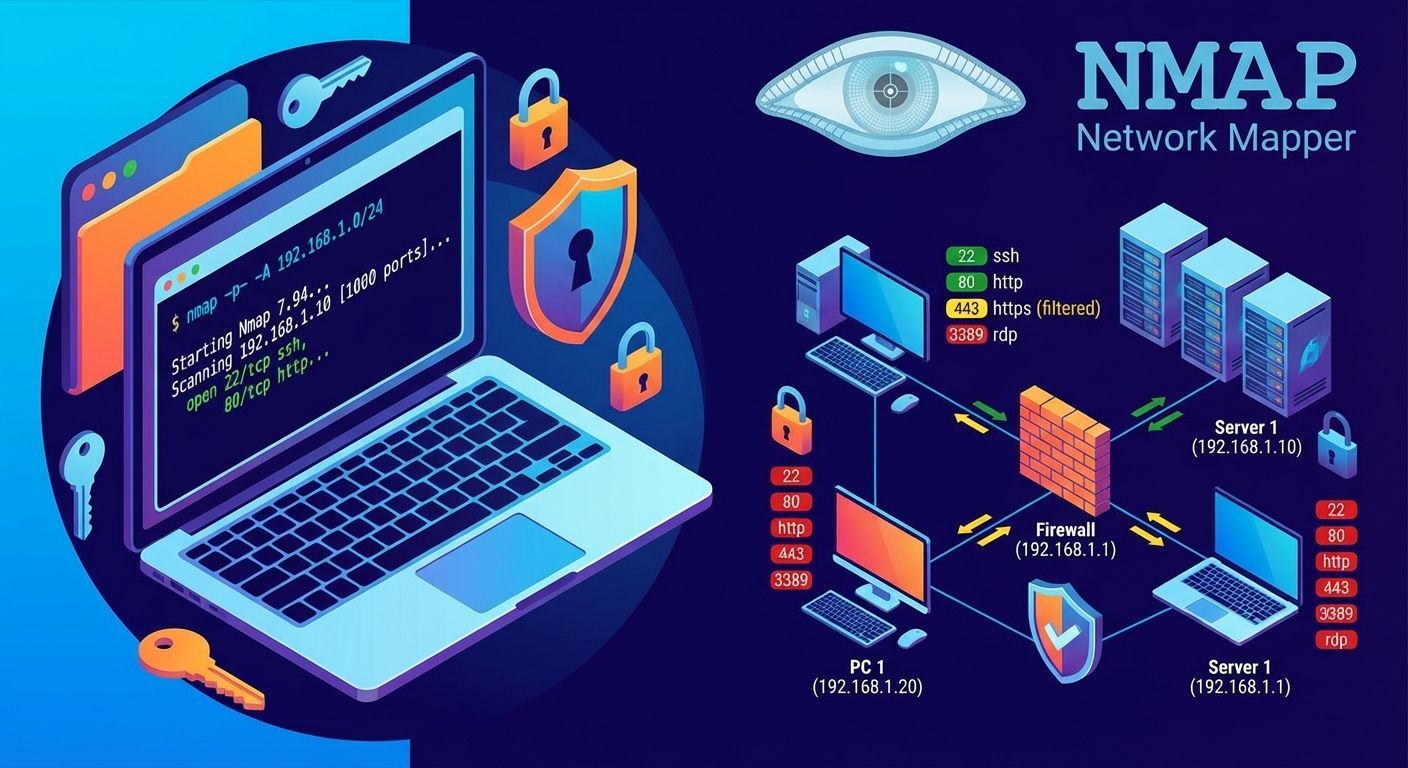
Nmap, short for Network Mapper , is a super-powerful open-source tool for network exploration and security auditing. Created by Gordon Lyon (also known as Fyodor Vaskovich) in 1997, Nmap has been a must-have tool for cybersecurity professionals for over two decades!
Think of Nmap as a magic flashlight that can illuminate an entire computer network, showing what's connected, what services are running, and even guessing what operating system is being used. Cool, right?
Nmap's main functions include:
- Port scanning : Find out which ports are open, closed, or filtered.
- Service detection : Identify what applications are running on a particular port.
- OS Fingerprinting : Detects the operating system used by the target
- Network Mapping : Mapping network structure
Nmap Features and Uses: The Swiss Army Knife of Networking
Nmap is like a multi-purpose tool for computer networking. It has tons of features and is super useful!
Port Scanning: Looking for Entry Gaps
When performing port scanning, Nmap will check the status of ports on the target:
- Open : The port is open and accepting connections. This could be a potential entry point!
- Closed : The port is responding but refusing connections. At least we know there's a service listening.
- Filtered : The port is blocked by a firewall. Nmap cannot determine whether the port is open or closed.
Service Detection: Know What Applications Are Running
Not only does Nmap know which ports are open, but it can also detect what applications are running on those ports. For example, port 80 is typically used for web servers, but Nmap can determine whether it's Apache, Nginx, or another web server. It can even determine the version!
OS Fingerprinting: Guessing the Operating System
One of Nmap's cool features is its ability to "guess" a target's operating system. It does this by analyzing how the target responds to different types of data packets. It's a bit like a detective analyzing fingerprints!
Nmap Scripting Engine (NSE): Extending Capabilities
NSE is a feature that allows users to run scripts to extend Nmap's capabilities. Hundreds of scripts are available, ranging from vulnerability detection and password brute-forcing to gathering additional information about targets.
How to Use Nmap: Starting Simple
Now we get to the fun part: how to use Nmap! Don't worry, we'll start with the basics.
Nmap Installation
Before we can use it, we need to install it first:
On Linux:
sudo apt-get install nmap    # Untuk Ubuntu/Debian
sudo yum install nmap        # Untuk CentOS/RHEL
On Windows: Download the installer from nmap.org and follow the installation instructions.
From macOS:
brew install nmap # Menggunakan Homebrew
Nmap Basic Commands
Simple Scanning:
nmap 192.168.1.1
The above command will perform a basic scan to IP 192.168.1.1, checking the 1000 most commonly used ports.
Service Version Detection:
nmap -sV 192.168.1.1
This command will detect the application version running on the open ports.
Operating System Detection:
nmap -O 192.168.1.1
This command will try to detect the operating system the target is using.
Network Scanning:
nmap 192.168.1.0/24
This command will scan the entire 192.168.1.x network (255 IP addresses).
Case Study: Server Security Audit
For example, if you're asked to audit the security of a company's web server, you could use the command:
nmap -sV -sS -A -p- 192.168.1.10
The above command will:
-sV: Detect service version-sS: Performs a SYN scan (faster and less obtrusive)-A: Enables OS detection, version detection, script scanning, and traceroute-p-: Checks all 65,535 ports
The scan results will show which ports are open, what services are running, and any potential vulnerabilities.
Nmap in the Context of Cybersecurity: A True Pentester's Tool
In the world of cybersecurity, Nmap plays a crucial role, particularly in penetration testing (pentesting). Pentesting is the process of testing a system's security by ethically "attacking" it to find vulnerabilities before real hackers do.
The Role of Nmap in Penetration Testing
In pentesting methodology, Nmap is typically used in the initial phase, called "reconnaissance." In this phase, the pentester gathers as much information as possible about the target, including:
- Which hosts are active on the network
- What ports are open?
- What services and versions are running?
- What operating system is used?
This information is then used to plan the next "attack" strategy.
Nmap Usage Etiquette: Don't Scan Randomly!
It's important to remember: Scanning without permission can be illegal in many countries!
Some ethical rules to follow:
- Always ask for permission before scanning someone else's network or system.
- Document the permissions you received (emails, contracts, etc.)
- Limit the impact of scanning so as not to disrupt system operations.
- Do not exploit vulnerabilities you discover without permission.
Best Practices: Use Nmap Wisely
Some tips for using Nmap professionally:
- Perform scanning during non-productive hours (if possible)
- Start with a “light” scan before using more aggressive options.
- Store the scan results safely and do not share them carelessly.
- Always provide patch recommendations for discovered vulnerabilities.
Conclusion: Nmap, the Loyal Friend of Aspiring Security Experts
So, now you know what Nmap is and how important it is in the world of cybersecurity. With Nmap, you can map your network, find security vulnerabilities, and help secure your system from malicious hacker attacks.
Remember, understanding networking basics is key to maximizing Nmap's use. So, make sure you understand the concepts of IP addresses, ports, and protocols before diving deeper into the world of scanning.
The world of cybersecurity is vast, and Nmap is just one of many tools you need to master. So, never stop learning! Also, try other tools like Wireshark for packet analysis, Metasploit for penetration testing, or Burp Suite for web application security.
Happy learning, and don't forget: with great power comes great responsibility. Use this knowledge for good, okay? 😉